
It’s been a long time since i posted in my blog. One of the common request i have been asked by my colleagues, friends about “Is there a way to automate backups that are taken on the SQL Server database server running on EC2 instance to Amazon S3 storage?” Today, I would like to show how we can achieve this.
Requirement: I would like to keep one days of backups on the disk and also maintain remaining backups on Amazon S3 storage for 30 days and later archive them.
I’m assuming that you have a mechanism to take backups to Disk.
- Attach a S3 policy to Current Database Server running on EC2 instance. Instance need access to read and write permissions. You may use the below policy.
{    "Version": "2012-10-17",
"Statement": [        {
"Effect": "Allow",
"Action": [
"s3:Get*",
"s3:List*", "s3:Put*"
],
"Resource": [ "arn:aws:s3:::Name_of_the_bucket/*"
]
}
]
}
- Once you attach above the policy to IAM ROLE on EC2 instance, EC2 Instance gets access to the Amazon s3 bucket.
- Next, Install AWS CLI command line tool on the EC2 instance. You may download here
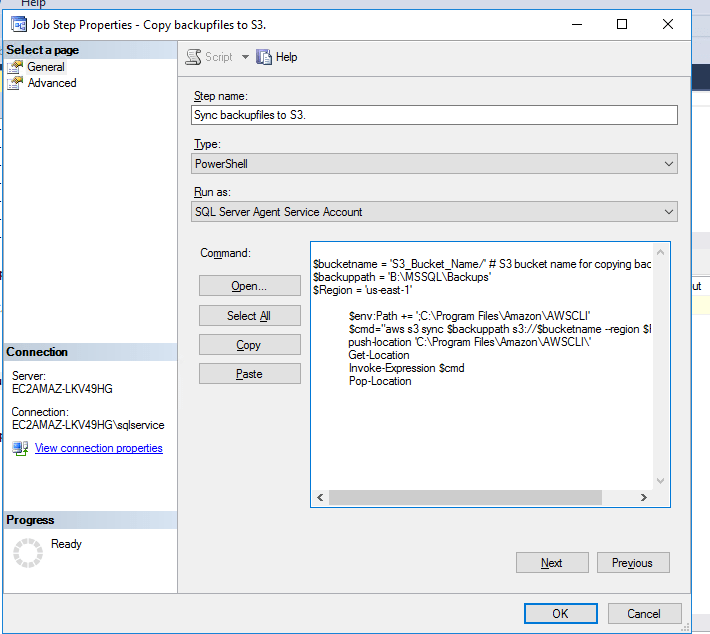
- Now, let’s begin the actual process. I’m assuming that you already have backups jobs running on database server based on your schedule which takes the backups on disk. Include the below powershell script in the second step after taking backups to disk.
$bucketname = 'S3_Bucket_Name/' # S3 bucket name for copying backups
$backuppath = 'B:\MSSQL\Backups' # Backup location on the disk
$Region = 'us-east-1'
$env:Path += ';C:\Program Files\Amazon\AWSCLI'
 $cmd="aws s3 sync $backuppath s3://$bucketname --region $Region"
 push-location 'C:\Program Files\Amazon\AWSCLI\'
 Get-Location
 Invoke-Expression $cmd
 Pop-Location
- The above step will sync the backups to S3, something like this.
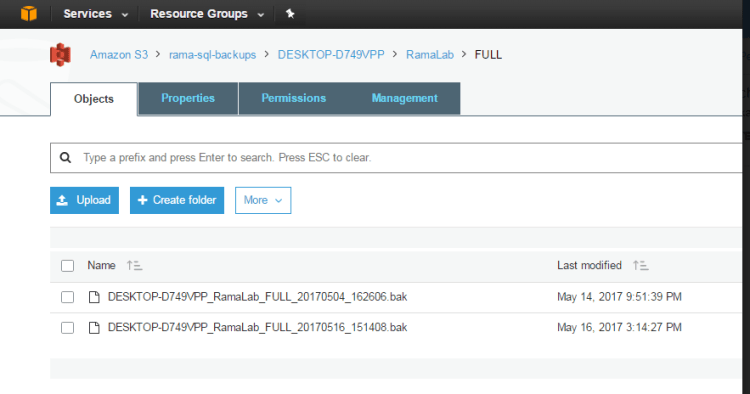
- Have we go you have backups sync back to S3. The advantage of this is you can reduce the cost of disk storage and have backups highly available and reliable. You don’t have to worry about disk capacity and maintaining redundancy at disk level. Amazon s3 storage has 99.999999999% durability and 99.99% availability.
- Now, you can create a life cycle policy to keep the backups on s3 storage for 30 days and archive them to Glacier storage (Much Cheaper storage). You may follow the link here
Hope you enjoyed the post!
Cheers
Ramasankar Molleti
 Ramasankar Molleti Blog